- Joined
- Feb 5, 2024
- Messages
- 3,304
- Reaction score
- 6,706
- Points
- 113
- Website
- esso4k-tv.com
- vip
- 7,292 credits
Offline
Apk Toolkit By 0xd00d 1.3
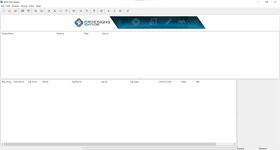
APK Toolkit is a native Windows GUI app for Reverse Engineering Android apps. It provides multiple tools & options for decompiling, compiling, extracting and zipping various Android file formats as well as displaying app permissions, metadata and much moreIt was written from scratch when APK Easy Tool was discontinued. It has similar features to APK Easy Tool as well as a lot more updated features
Light Skin
Dark Skin
Features
- Decompile / Compile (xapk, apk, jar, dex, odex, oat)
- Extract / Zip (xapk, apk, jar)
- ZipAlign / Check align (xapk, apk)
- Check Align (xapk, apk)
- Sign / Verify signature (apk)
- Convert xapk / split xapk to single apk
- Edit app info (Icons, Name, Package Name, Version, Build, MinSdk, TargetSdk)
- Extract / Save app icons
- Clone APK (Install multiple instances of the same app by cloning it)
- Drag & drop support for single or multiple files
- Pin window so it's always on top
- JumpList and toolbar shortcuts
- View, Add or Remove app permissions
- View app info including if app includes native 32bit / 64bit libs and/or global-metadata.dat and libil2cpp.so
- il2cppdumper & dnspy built in, also supporting single / multiple file drag & drop (Dump directly without decompiling from xapk & apk and then view instantly in dnspy)
- Install compiled Apk via Adb (Android Debug Bridge) or drag & drop Apk to install
- Automate adding mod-menu to xapk or apk with single mouse click
- Automate adding patched libs to xapk or apk
- Automate adding toast message to app on startup
- Automate adding multiple extra manifest permissions
- Decode / Rebuild to API level
- Powerful multi-threaded regex search, and search & replace. Run multiple regex at once on decompiled smali code
- Remove Ads from Apps / Games via Regex Search & Replace
- Base64 Encode / Decode text or png image
- Light or Dark skin
- Windows (APK Toolkit is a native windows app)
- Java for additional tools
- .net framework for additional tools
Updated to v1.3 - Added option to Automate adding multiple extra manifest permissions
- Added Clone APK (Install multiple instances of the same app by cloning it)
- Added option to edit app info (Icons, Name, Package Name, Version, Build, MinSdk, TargetSdk) To replace all icon sizes, choose your replacement icon and it will be automatically be resized for all replacements (Square & Round)
- Added option to round icon corners
- Added option to automatically generate a round icon
- Added option to Save app icon via right click popup
- Added options in edit app info to Save Square or Round icons via right click popups
- Added Quiet & Verbose options to ApkTool settings
- Added Resource mode option dropdown to ApkTool settings
- Added Verbose option to APK Toolkit
- Added Smali Regex Search to tools menu
- Added Base64 Encode / Decode text or png image to tools menu
- Added 'Open file' and 'Open file location' to the log window right click popup
- Removed Baksmali / Smali tab
All Decompiling & Compiling of all formats are now processed all in the same place, either from the file / directory selections or via drag & drop via the Decompile and Compile buttons. dex, odex and oat files will be decompiled to the decompiled directory and compiled to the compiled directory. Deodex option moved to settings, Baksmali & Smali directories removed from project, jumplist & toolbar - Changed permissions list so you can now select multiple permissions and remove all selected
- Directories renamed
- Fixed ZIP64 Extra Field Validation error after Java update
- Improved error / exception handling / reporting
- UI changes
- Bug fixes